How To Delete Your Account
This page is for users of the Math Mania app.
How to delete your data
If you want to delete all personal data collected by the Math Mania app, please follow the steps below from inside the app.
Watch the short video guide below. It shows exactly how to request data deletion from inside the app.
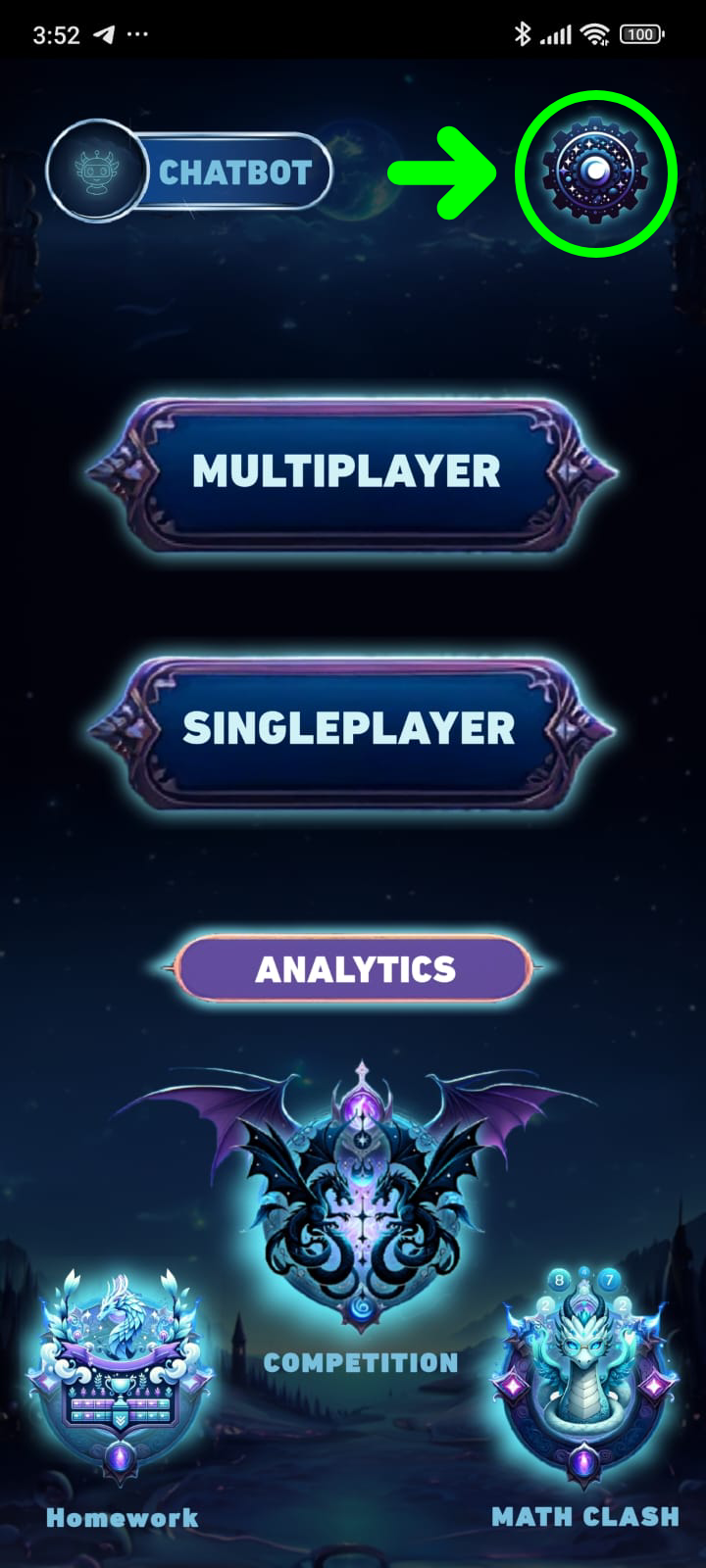
Step 1
Open the app and go to the settings page.
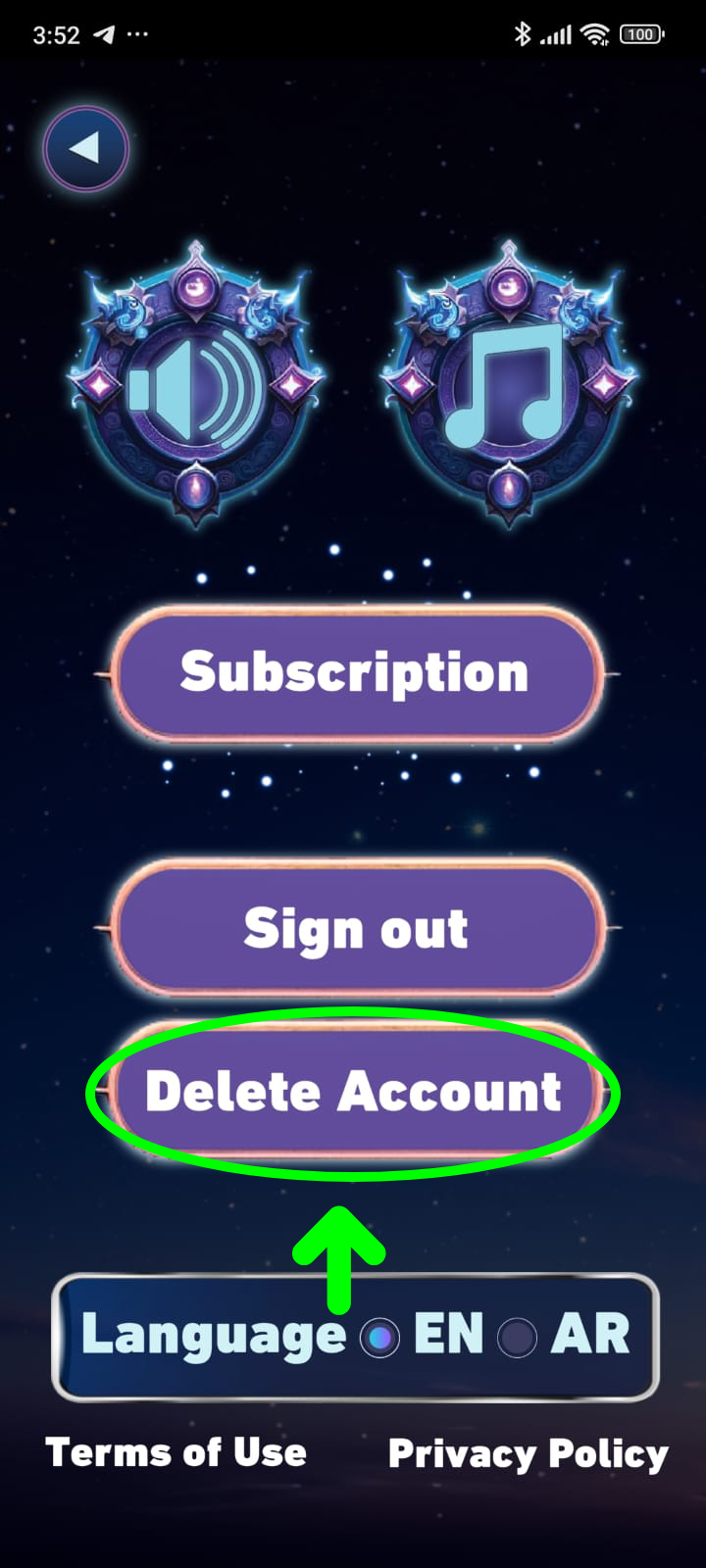
Step 2
Tap on the "Delete Account" button.
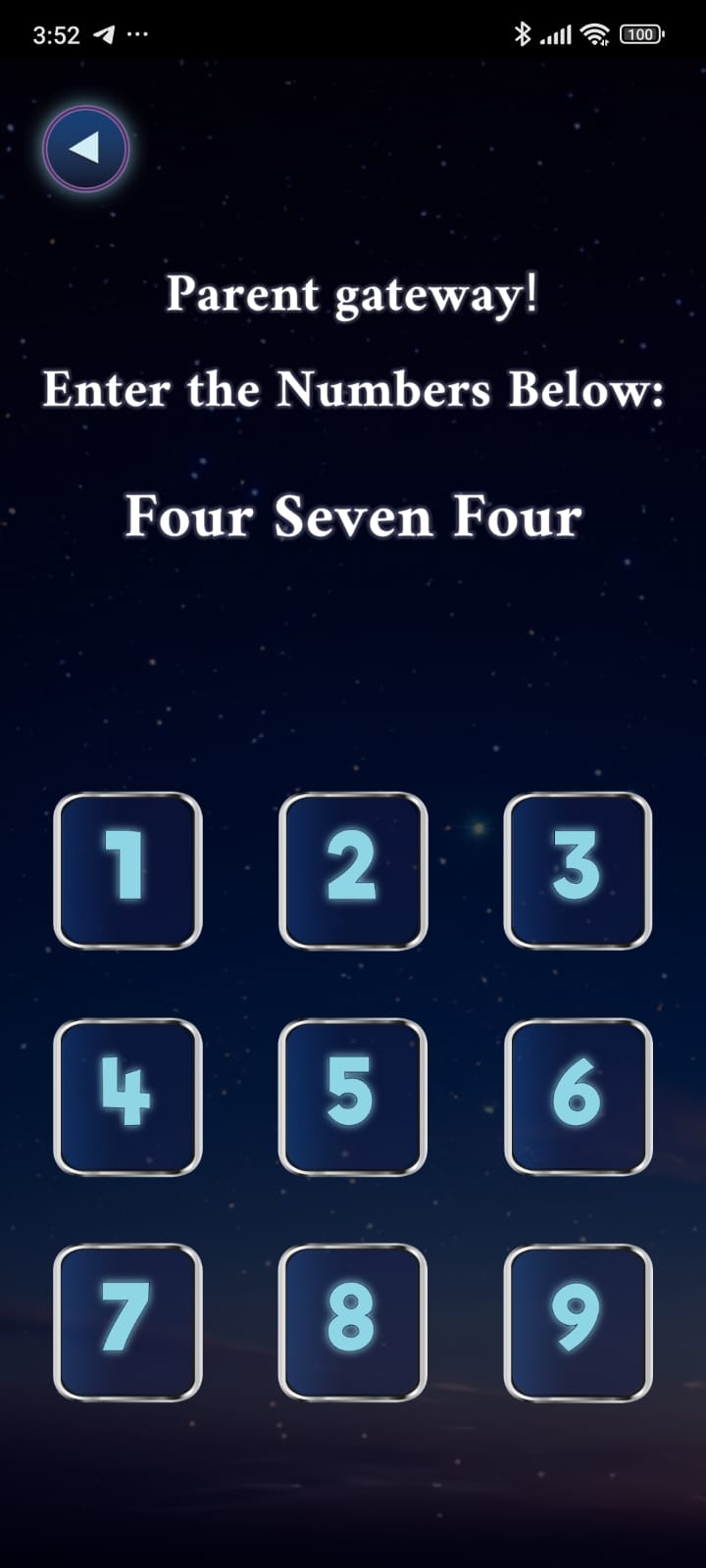
Step 3
Enter the confirmation code. Your account and associated data will be deleted.
Data that will be deleted
- Usage data linked to your Math Mania account.
- Analytics logs and any media files uploaded through the app (such as educational videos or temporary files).
Data that may be kept temporarily
Some technical logs may be retained for a short period for security, fraud prevention, or legal reasons. These logs are not used to identify you after your deletion request is processed.